
This is not a reduced companion product: the browser is Lukki’s mobile platform. Changes appear automatically when a page reloads, leaving no application version to update. Players use the same credentials and limits as on a computer, although Australian access remains outside local gambling licensing and BetStop coverage.
Lukki Casino welcome packageUp to A$4,000 + 300 free spins · 18+ · Terms apply
Go to LukkiLukki mobile features at a glance
The narrow-screen layout reorganises menus and game rows while preserving the main account tools. The following details distinguish mobile availability from a native-store installation.
| Feature | Mobile provision |
|---|---|
| Native application | Not published in the App Store or Google Play |
| iOS route | Safari, Chrome, Firefox or another modern browser |
| Android route | Chrome, Firefox, Samsung Internet or an equivalent browser |
| Home-screen access | Shortcut available on iOS and Android |
| Casino lobby | Slots, jackpots, live, instant-win and table games match desktop |
| Betting | Advance fixtures, live markets and simulated sports with a mobile bet slip |
| Payments | Deposits and withdrawals use desktop-equivalent limits |
| Rewards | Bonus codes, tournaments, jackpots and Yacht Club tools |
| Help | Chat widget appears across mobile sections |
Opening Lukki on iOS or Android
Mobile access begins with a browser, not an installation file. Returning users can use the Lukki login, while a new account follows the same AUD currency selection and personal-detail checks described in the registration guide.
- Launch a current browser on the phone or tablet.
- Type the known Lukki Australian web address into its address bar.
- Allow the responsive layout and navigation menu to load.
- Sign in with the existing account or begin registration.
- Confirm that AUD is selected for an Australian account.
- Open casino, live, sports, promotions or payments from the menu.
Safari, Chrome and Firefox are available routes on iOS. Android users can choose Chrome, Firefox, Samsung Internet or another up-to-date equivalent. The interface uses swipeable game rows and a collapsed menu to fit a smaller screen, while account balances and promotion status remain attached to the same profile.
Adding a Lukki icon to the home screen
A shortcut offers the convenience most app searches are trying to find. It opens the website directly and may use a dedicated-looking window, but it remains browser content and does not receive device permissions like a native package.
Shortcut steps for iPhone and iPad
Safari provides the standard iOS home-screen control. If another iPhone browser does not display it, open the same address in Safari for setup.
- Load Lukki in Safari.
- Tap the Share symbol.
- Scroll to the option for adding the page to the home screen.
- Edit the shortcut label if desired.
- Confirm the addition and test the new icon.
Shortcut steps on Android devices
Chrome usually places the relevant action inside its main menu. Samsung Internet and Firefox use comparable controls with wording that can vary by version.
- Visit Lukki in the chosen Android browser.
- Open the browser’s menu.
- Choose its add-page or home-screen action.
- Approve the displayed name.
- Place the icon and verify that it returns to the correct domain.
Casino, live games and sportsbook on mobile
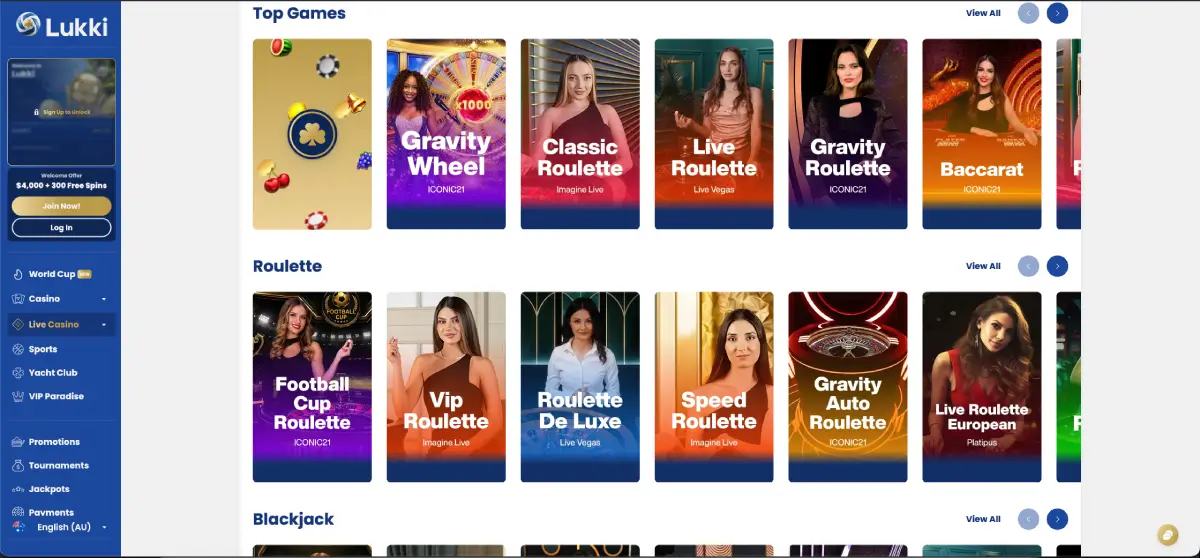
The casino filter row includes Discover, The Diamond Club, Slots, Live, Instant Win and Table Games. Provider browsing and search also remain accessible, so switching devices does not require learning a separate catalogue.
Live roulette, blackjack and baccarat stream within the mobile browser. These tables demand a more reliable connection than ordinary slot play because betting windows follow the dealer’s round. Closing unused applications can help an older handset reserve memory for video, while a current browser supports modern streaming and session handling.
The sportsbook includes pre-match markets, In-Play betting and Virtual Sports. Its bet slip is adapted for touch access, and landscape orientation can make multi-column markets easier to scan. Australian-facing sport includes Aussie Rules, National Rugby League and Rugby Union, alongside the wider market list. The separate Lukki sports betting guide covers bet placement and market navigation.
Yacht Club point counters and the Convert Points action also work on mobile. VIP Paradise remains invitation-based, so a phone does not change its entry condition. The support chat stays anchored across mobile pages when account assistance is required.
Bonuses and code entry on a phone
Lukki’s four-deposit welcome package remains available through mobile access. It advertises up to AUD 4,000 and 300 free spins, beginning with 100% up to AUD 500 and 100 spins on the first deposit. The later stages use LUKKI2, LUKKI3 and LUKKI4.
Mobile keyboards can insert spaces or alter capitalisation, so compare a code before confirming the corresponding deposit. Stage two matches 100% with an AUD 500 ceiling and 50 spins. Stage three halves the match rate, caps the bonus at AUD 1,000 and adds 50 spins; stage four applies 25%, stops at AUD 2,000 and contains 100 spins. Full conditions belong in the Lukki bonus guide; a smaller screen does not alter wagering or eligibility.
Tournaments, jackpot displays and rotating promotions can also be reached from a phone. Participation should still be based on event rules and a preset budget rather than on a live rank. Code entry and offer activation should be completed before starting qualifying play.
AUD deposits and withdrawals on mobile
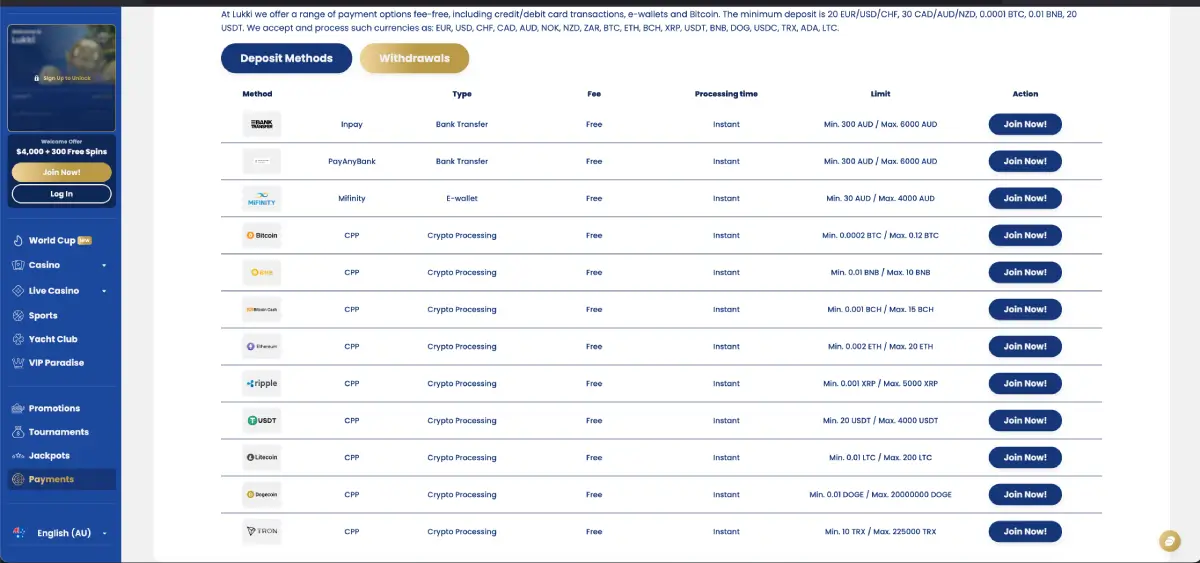
The mobile cashier uses the same method limits and listed fee-free processing as desktop. The word “Instant” describes the cashier processing label; a bank, wallet or blockchain can add its own delivery time, and payouts may wait for account verification.
| Method | Direction | Limits | Processing shown |
|---|---|---|---|
| Visa or Mastercard | Deposit only | AUD 30–10,000 | Instant |
| Mifinity | Deposit and withdrawal | AUD 30–4,000 | Instant |
| Cashtocode | Deposit only | AUD 25–400 | Instant |
| Inpay | Withdrawal only | AUD 300–6,000 | Instant |
| PayAnyBank | Withdrawal only | AUD 300–6,000 | Instant |
| Bitcoin | Both directions | From 0.0001 BTC in and 0.0002 BTC out | Instant |
| USDT | Both directions | From 5 USDT in and 20 USDT out | Instant |
Funding direction matters when selecting a method on a small screen. Cards and Cashtocode do not handle withdrawals, so their deposits need a different eligible payout route. Inpay and PayAnyBank start at AUD 300; Mifinity begins at AUD 30 and is bidirectional. A fuller method comparison appears in the Lukki withdrawal guide.
For crypto, confirm the asset, address and network before leaving the cashier. Other supported coins include ETH, BCH, LTC, XRP, DOGE, ADA, BNB and TRX, with method-specific deposit or withdrawal limits. Do not rely on a remembered address from an earlier session.
Fake APK warning and mobile security
No Lukki APK is published for the supported mobile route. A download offered under that name can expose login credentials, payment information or device access. Android users should not enable unknown-source installation, and iPhone users do not need a configuration profile to create a shortcut.
- Enter through a known address or a shortcut created from it.
- Keep a screen lock on any device with a saved session.
- Avoid public Wi-Fi for deposits, withdrawals and document submission.
- Use a unique password and never share a recovery link.
- Sign out through the account menu on borrowed hardware.
- Reject any file presented as a necessary mobile update.
A shortcut can retain a session, meaning access to an unlocked phone may expose the account. Biometric device protection helps at the phone level, but it does not replace signing out when another person can use the device.
Mobile browser advantages and trade-offs
The browser route eliminates storage use and manual app releases while keeping casino, sports and cashier functions together. Its trade-offs come from connection quality, browser state and the risks of imitation websites.
| Advantage | Trade-off to manage |
|---|---|
| No installation or app-store account | The correct web address must be identified |
| Automatic platform updates | The browser itself still needs updates |
| One profile across devices | Saved sessions need strong phone security |
| Full game and betting sections | Live video can use significant mobile data |
| Complete AUD cashier | Method direction and limits require careful review |
For routine use, a saved shortcut plus a modern browser delivers the closest equivalent to an app. Users who insist on a verified native-store product will not find one for Lukki and should not substitute an unrecognised package.
Lukki is not licensed in Australia and is not registered with BetStop. This should never be viewed as a reason to bypass a self-exclusion. Mobile gambling is restricted to adults aged 18 and over; choose firm deposit and time limits before opening the browser. Australian support is available through Gambling Help Online, and further tools are listed on the responsible gambling page.
Lukki Casino app FAQ
These answers address installation, compatibility and cashier use for players choosing a phone or tablet.
Can the Lukki Casino app be downloaded?
No native app is published in Apple’s or Google’s stores. Lukki uses a mobile website that can be saved as a home-screen shortcut without downloading a package.
Does Lukki work on an iPhone?
Yes. Safari, Chrome, Firefox and other modern iOS browsers can load the service. Safari provides the standard iPhone and iPad home-screen shortcut control.
Is a Lukki APK safe to install?
No supported APK exists, so there is no need to install one or allow unknown sources. Use Chrome, Firefox, Samsung Internet or another current Android browser.
Are all desktop games available on mobile?
Yes. The browser catalogue is identical across slots, jackpots, live casino, instant-win and table games, with the same search and provider tools.
Can Australian dollars be deposited on a phone?
Yes. The full AUD cashier is available, including cards, Mifinity, Cashtocode and cryptocurrency choices. Each method retains its desktop direction and limits.
Can a card be used for withdrawal?
No. Visa and Mastercard are deposit-only in the listed cashier setup. Eligible payout options include Mifinity, Inpay, PayAnyBank and supported cryptocurrencies.
Does sports betting work in the mobile browser?
Markets before fixtures, live event betting and simulated sport are available with a touch-adapted slip. Landscape orientation may make multi-column market browsing easier.
Do mobile users need to update Lukki?
The website updates automatically when it loads. Only the phone’s operating system and chosen browser need ordinary software maintenance.
Note. Lukki Casino is not licensed in Australia and is not covered by BetStop. Offers and limits can change; the casino's terms apply. 18+.